Why Your 5S Audit Checklist Lies to You
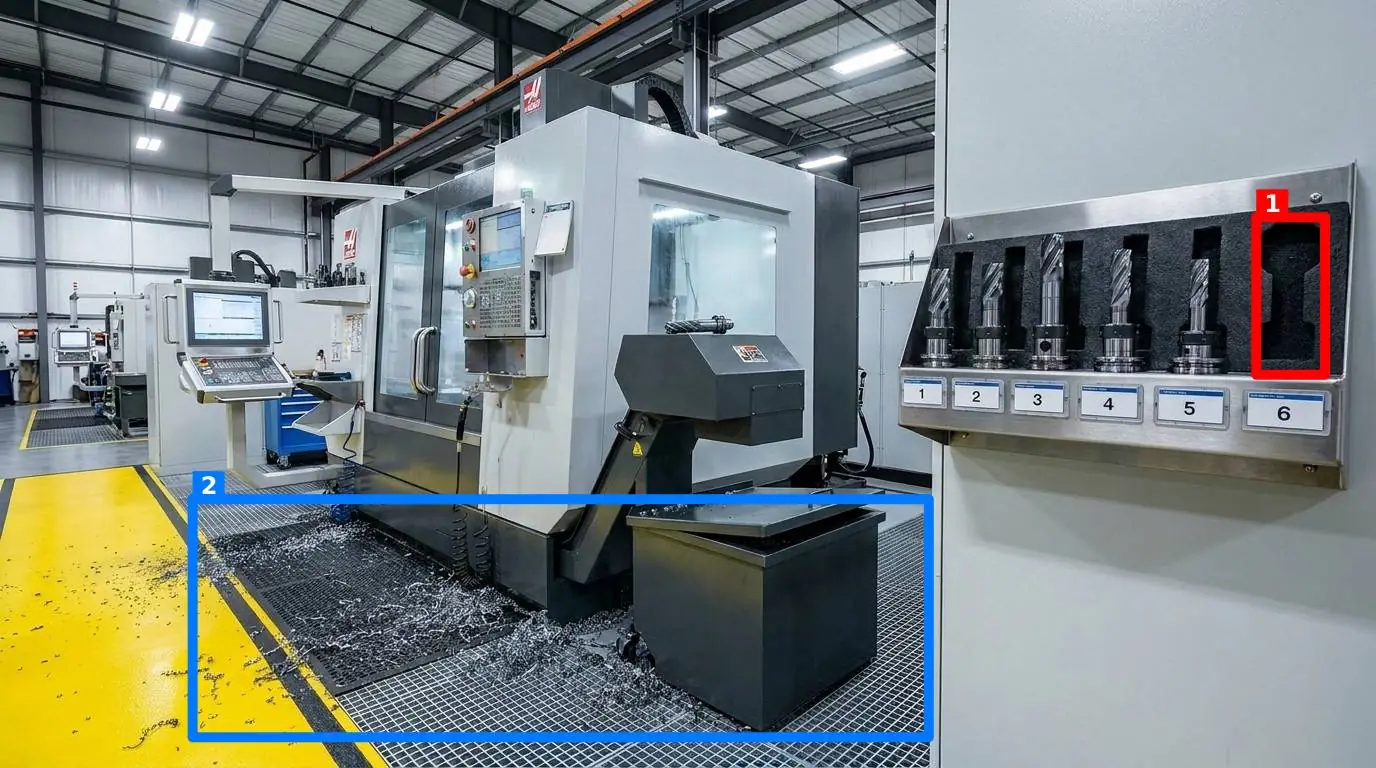
The Illusion of Order on the Shop Floor
Every operations lead knows the feeling of walking the shop floor thirty minutes after a shift handover, only to find a complete disconnect between the paperwork and reality. The clipboard hanging at the end of the line has a neat row of checkmarks indicating that the end-of-shift cleanup was completed. Yet, right in front of you, a torque wrench is missing from its shadow board, an oil spill under the conveyor has been ignored, and a mop is left leaning against a walkway railing. The paperwork claims a perfect score, but the physical reality tells a completely different story.
This disconnect is the fatal flaw of the traditional 5s audit. When you ask busy operators to read through a long list of text-based questions at the end of an exhausting shift, they will inevitably resort to "pencil-whipping." Ticking a box takes half a second; actually returning every tool to its shadow board, wiping down the machine guards, and clearing the clutter takes ten minutes. Without a reliable way to verify the actual state of the floor, your Lean standards will inevitably slip.
Why Checklists Encourage "Pencil-Whipping"
To understand why standards degrade, we have to look at how we document them. Most manufacturing facilities rely on audit and inspection management software or paper binders to track compliance. These systems are built on the assumption that more documentation equals better control. In practice, the opposite is often true. The more complex your checklist, the more detached it becomes from the physical work environment.
When an inspector or a supervisor walks the floor with a digital form, they are looking at their screen, not at the machine. They are translating what they see into subjective ratings: "Is the area clean? Yes or No?" One supervisor might tolerate a thin layer of dust on a hydraulic press, while another might mark it as a fail. This subjectivity destroys the credibility of your data. If your team realizes that the standard changes depending on who is carrying the clipboard, they will stop taking the standard seriously. You can read more about why this happens in our deep dive on why checklist software fails on the shop floor.
The checklist is a tool designed for verification, but on a busy production floor, it quickly becomes an administrative hurdle to clear as quickly as possible. When an operator is behind on their production quota, completing a 20-point inspection list is an obstacle, not a value-add activity. They know that no one is likely to review the paper sheet unless an accident or a major quality defect occurs. This administrative fatigue is why many operations managers are looking beyond checklists and rethinking tools of quality management. To make standards stick, we must eliminate the subjective middleman. Instead of asking a worker to read and interpret twenty distinct questions, we need to make the correct state of the workstation immediately obvious.
Designing a Visual 5s audit That Works
A successful 5s audit must be visual, objective, and fast. Rather than relying on text descriptions, the standard must be anchored to a physical reference. This means defining specific "control points" across your facility—a critical assembly station, an ingredient prep shelf, a maintenance tool crib, or a fire exit doorway.
For each control point, you establish a single, unambiguous reference photo showing the area in its ideal, standardized state. This photo serves as the source of truth. When auditing, the goal is not to answer questions, but to compare the current physical state against this reference image.
The Five Visual Criteria to Measure
To make this practical, you should break the visual inspection down into five distinct criteria that can be evaluated and toggled per control point:
- Presence of required items: Are the critical tools, safety gear, and materials actually there? (e.g., is the torque wrench back on its shadow board?)
- Cleanliness: Is the station free of dust, grease, metal shavings, or product residue?
- Clutter: Are there unauthorized items, trash, or personal belongings left in the work area?
- Position: Are mobile items, like trash bins or material carts, parked within their taped floor outlines?
- Orientation: Are valves, switches, or storage bins facing the correct direction for safe operation?
By focusing on these five criteria, you remove the ambiguity from your walkthroughs. The auditor is no longer interpreting a vague question; they are looking for physical discrepancies between the reference photo and the current station.
Transitioning from Paper to Photographic Evidence
Moving away from paper requires a tool that is simpler to use than the clipboard it replaces. This is where modern visual tools come in. For example, SnapAudit allows a supervisor to define these control points and capture a reference photo for each. When a worker does their walkthrough, they do not need to install a complex mobile app or log into a heavy enterprise system. They simply open the site in their phone's browser, take a quick photo of the station, and let the system handle the rest.
Behind the scenes, AI compares the worker's photo against the reference photo and returns an objective score out of 100, along with colored boxes drawn directly on the image to highlight exactly where the problems are (such as a stray spray bottle or an unreturned tool). This provides immediate, visual feedback to the operator on the floor. To see how visual audits compare to traditional methods on a daily basis, consider this breakdown:
| Feature | Traditional Paper Checklists | Visual AI Auditing |
|---|---|---|
| Time to Complete | 5-10 minutes of reading and ticking boxes | 10 seconds to snap a photo |
| Objectivity | Highly subjective; varies by supervisor | 100% objective; based on visual discrepancies |
| Feedback Loop | Delayed; sheets sit in a binder or database | Instant; problems are highlighted on the spot |
| Evidence | None, unless a separate photo is manually attached | Automated photo capture with metadata freshness checks |
| Reporting | Manual data entry required for trend analysis | Automatic history tracking and Pareto charts |
This shift to visual evidence is particularly critical on manufacturing and production floors, where physical layout directly impacts cycle times and operator safety. When a fire door is propped open or a pallet blocks an emergency aisle, you do not want to wait for a weekly report to find out.
Keeping Standards from Slipping Long-Term
The real test of any quality system is not how it performs during a scheduled audit, but how it holds up three months later. To prevent your standards from gradually eroding, you need a system that builds accountability without adding administrative burden. You can find detailed strategies on this in our guide on how to keep 5S Lean Six Sigma standards from slipping.
To maintain long-term momentum, focus on three key practices:
- Automate the Notification Loop: When a walkthrough is completed, the results should immediately go to the people who actually manage that specific area. Sending an email or a Telegram message to the room supervisor—even if they do not have an account in your audit software—ensures that issues are corrected before the next shift starts.
- Protect Data Integrity: A common issue with digital audit tools is "sofa auditing," where workers upload old, pre-saved photos of a clean station to bypass the work. Ensure your system verifies photo freshness directly from the image metadata, making it impossible to submit an old picture as today's live audit.
- Focus on the Vital Few: Use historical data to identify which stations are your persistent bottlenecks. A Pareto view of recurring problems will show you exactly which control points are failing most frequently and which of the five criteria (such as clutter or position) is the primary driver. If one assembly bench consistently fails on "clutter," the solution isn't to lecture the operator; it is to redesign the station's storage footprint.
Your Step-by-Step Action Plan for Next Shift
You do not need to overhaul your entire factory floor overnight to start seeing the benefits of visual management. In fact, trying to launch a site-wide digital transformation all at once is a reliable way to guarantee failure. Instead, start small and build credibility with your team.
Here is the exact sequence to follow on your next shift:
- Identify one bottleneck station: Choose a single area that is notorious for losing tools or accumulating clutter.
- Define the perfect state: Work with the operators on that station to clean it, organize it, and place every tool in its correct position.
- Take your reference photo: Capture a clear, well-lit photo of this standardized state. This is now your official control point.
- Ditch the checklist for that station: For the next week, instead of having the supervisor fill out a form, have them simply take a photo of the station at the end of each shift and compare it directly to the reference image.
- Review the differences together: If something is out of place, use it as a coaching moment rather than a disciplinary action. Show the operator the reference photo and the current state side-by-side.
Once your team sees how much faster and fairer a visual comparison is compared to a long list of written questions, you can begin expanding the process to other stations and grouping them into full inspection rounds. By focusing on physical reality instead of paper boxes, you will finally turn your 5s program from a compliance chore into a self-sustaining habit.