Audit management software that grades the photo, not the checklist
SnapAudit is inspection management software for physical workspaces. An operator photographs each control point on their round; the photo is compared against a reference image you set yourself, and comes back with a score, boxed findings and a note written for the person holding the phone.
What this is not
Most software sold under this name is internal-audit and GRC tooling — control libraries, risk registers, audit-committee reporting. SnapAudit is not that, and will not replace it.
SnapAudit manages audits of physical places: a shop floor, a prep kitchen, a store aisle, a plant room, a workshop bay. If you are auditing financial controls, this is the wrong tab. If you are auditing whether the workstation still looks the way it is supposed to, read on.
The difference is where the judgement happens
Inspection software normally records a decision the inspector already made. This records a decision it made itself, next to the evidence.
A checklist app gives the inspector a line that reads tool board complete and a box to tick. Whether the board was actually looked at is unknowable afterwards, and a round walked in ninety seconds produces the same record as a round walked properly.
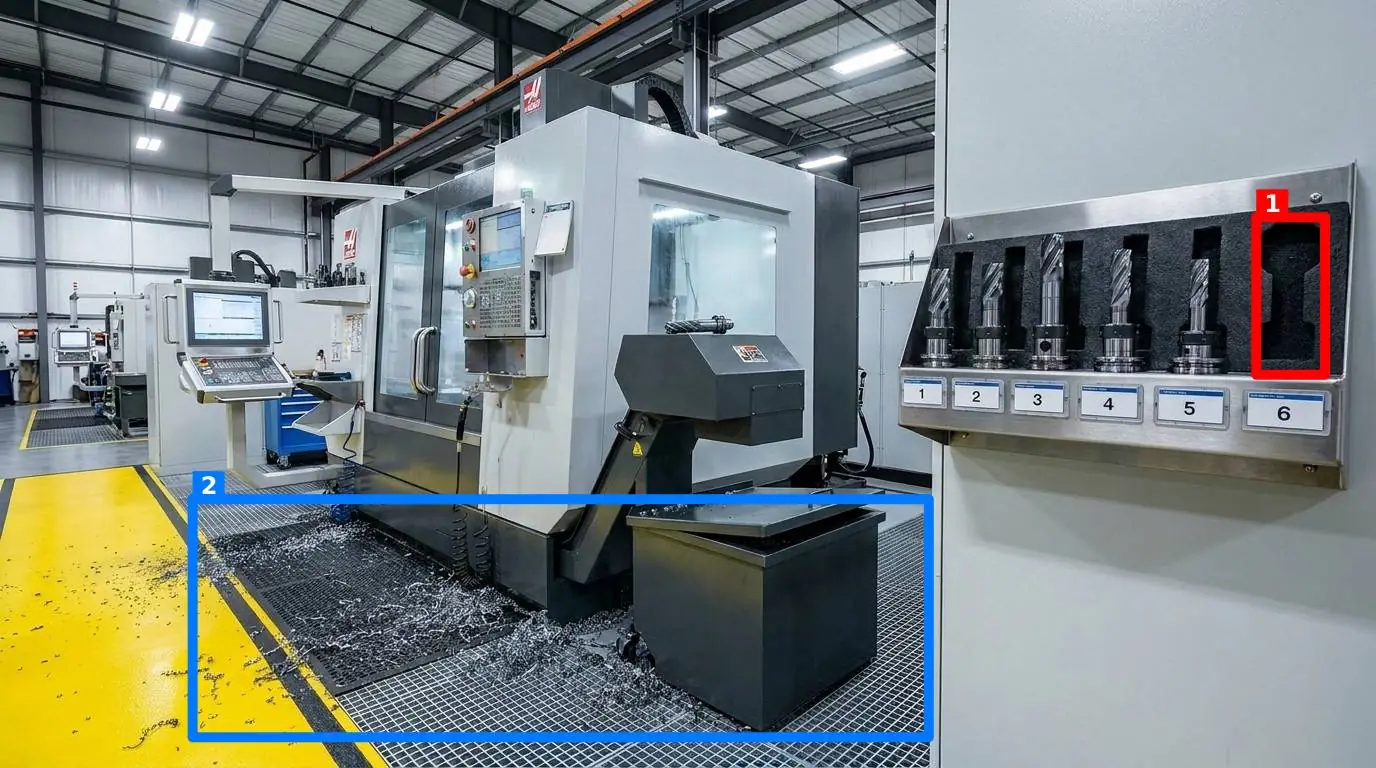
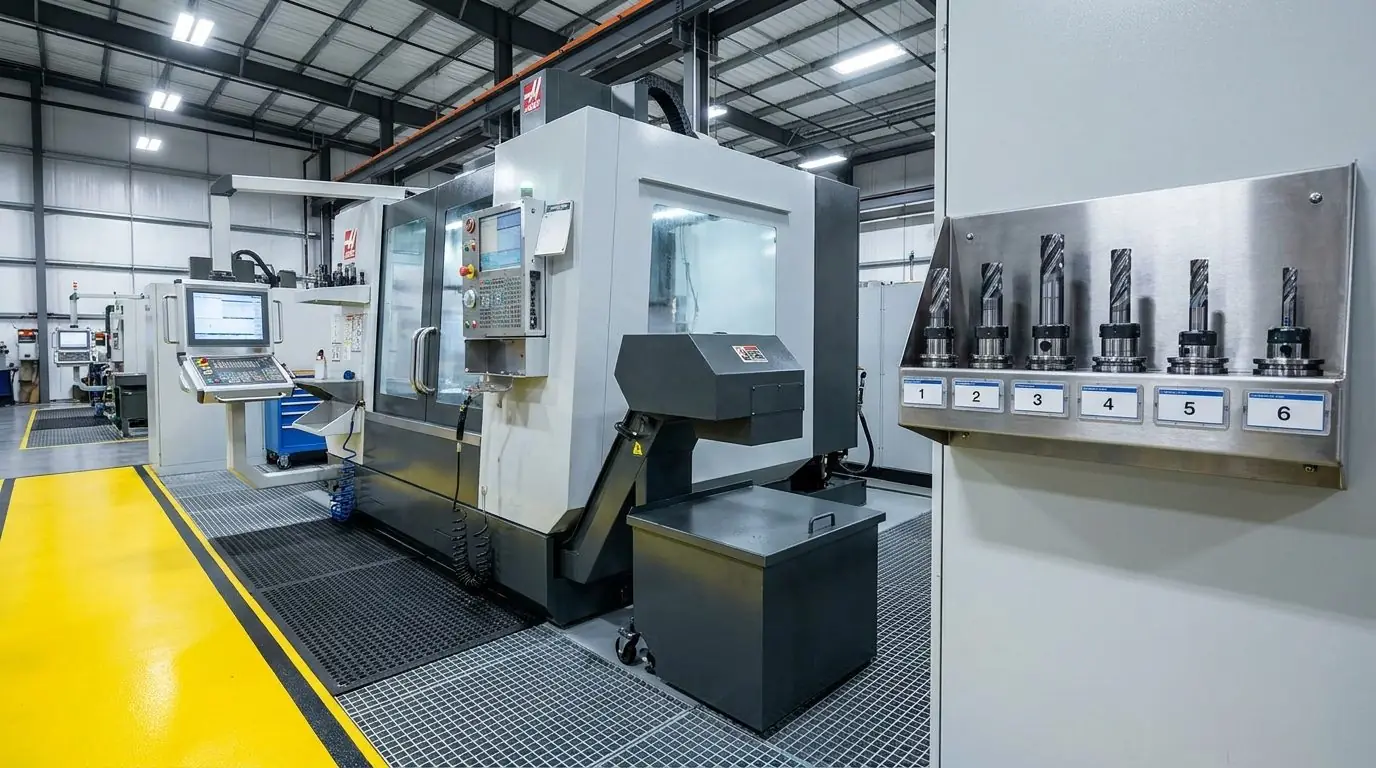
SnapAudit takes the reference image beside this text as the standard for that control point, and every later photo of the same spot is measured against it. The missing toolholder in slot 6 was not on a checklist — nobody had written a line for it. It was found because it is in one photo and not the other.
The consequence for the audit trail: a failed point arrives with the frame it failed in. Someone who was never on the floor opens the record and sees the thing, instead of reading that a colleague saw it.
What the software actually manages
Available now, all of it. Nothing on this list is a roadmap item.
Control points and their standard
A control point is one spot you photograph. You set its standard once, by photographing it in the state you want, and that image is the benchmark from then on — correct for your plant, rather than a generic template someone else wrote.
Rounds
Points are grouped into a room, and a round walks them in order. The operator sees the reference faintly over the live camera so the framing matches, and the round ends with one digest instead of a stack of separate results.
Five checks, switchable per point
Presence, position, cleanliness, clutter and orientation. Each is independent, and a check that is switched off is never mentioned to the model at all — so a point where things legitimately move all day simply stops being marked down for it.
Findings you can review remotely
Each finding is a labelled box on the image with a sentence naming the nearest recognisable landmark, alongside a 0–100 score and a per-check breakdown. The supervisor does not have to walk over to understand the result.
Who gets told, and how
Report recipients are set per room, so whoever is responsible for a kitchen is not paging through results for the loading bay. Delivery by email or Telegram, plus a copy to an outside address for a contractor with no account.
History, pass rate and Pareto
Every inspection is kept with its photo and its findings. The statistics view gives the pass rate, the worst-performing points, and a Pareto of finding types — which is how you learn that most of your failures are one recurring thing.
How it works
Three steps, and only the first one takes any thought.
Photograph the standard
Walk the area once and photograph each control point in the state it is supposed to be in. That set of images is your audit standard. There is no template library to configure and no scoring rubric to write.
Operators walk the round
In a phone browser, with nothing to install. The camera shows the reference faintly over the live view so the frame lines up, and photos taken out of signal queue on the device until it comes back.
The result arrives graded
Score, boxed findings and a plain-language note, within seconds of the shutter. The recipients set for that room get the digest, and everything stays in history for the next audit.
Where it is used
The mechanics are identical everywhere — a reference photo, a photo from the floor, and a graded difference. What changes is which control points are worth setting.
Manufacturing
5S audits on the shop floor, graded from a photo of the workstation.
Read more →Restaurants & food service
Opening checks, kitchen cleanliness and station standards, graded from a photo.
Read more →Retail
Store standards, shelf presentation and back-of-house, graded from a photo.
Read more →Facilities & housekeeping
Cleaning and housekeeping inspections, graded from the cleaner's own photo.
Read more →What it costs
Priced per inspection rather than per seat, so putting the whole shift on it does not change the bill.
Full pricing, including the higher tiers · How this compares with SafetyCulture and iAuditor
Questions people ask before signing up
Is this internal audit or GRC software?
No. SnapAudit audits physical places, not financial controls. There is no risk register, no control library, no audit-committee reporting. If your auditors work in a spreadsheet of controls, this is the wrong tool.
How is this different from a digital checklist app?
A checklist app records what the inspector decided. SnapAudit decides. The inspector supplies a photo, and the finding, the score and the boxes on the image are produced from that photo compared against your reference, so a round walked in ninety seconds and a round walked properly no longer look the same in the record.
Do inspectors need to install an app?
No. The whole round runs in a phone browser, including the camera and the offline queue that holds photos until signal comes back. Nothing to install on the operator side, nothing to keep updated, no store account for a shared floor phone.
Can I stop it flagging things I do not care about?
Yes, per control point. Five checks can be switched on or off independently: presence, position, cleanliness, clutter and orientation. A point where things legitimately move around all day runs with position off, and the check is then never mentioned to the model at all.
How do you stop someone re-using an old photo?
Two ways. The server reads the EXIF capture time out of the uploaded file and refuses anything older than ten minutes, and every stored photo carries a burnt-in UTC timestamp, so a screenshot passed around later is visibly stale.
Set one control point and see what comes back
150 inspections free for 14 days. No credit card, no sales call, no template library to configure.
Start free